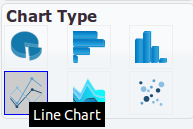
The properties are as described in the section called “Bar Chart”.
In addition, there are two Data properties that are specific to Line Charts.
X Value: Click the Choose Column icon (
 ).
The
).
The Column Chooserwindow opens. Make your selection as required.The values from the selected column are plotted on the X-axis.
Y Value: Click the Choose Column icon (
).
The Column Chooserwindow opens. Make your selection as required. After adding a column, you have the option to edit it by clicking the Edit Column icon ( ). Available operations include Average,
Count, Count Distinct, Min, Max, Standard Deviation, Sum, and Variance.
). Available operations include Average,
Count, Count Distinct, Min, Max, Standard Deviation, Sum, and Variance.The values from the selected column are plotted on the Y-axis.