
Checklist Designer
The Checklist Designer allows you to design a set of checklist.
A checklist can consist of several sections, each section consists a list of items. These items have components that allows user to check, select or input data, etc.
Designer Interface
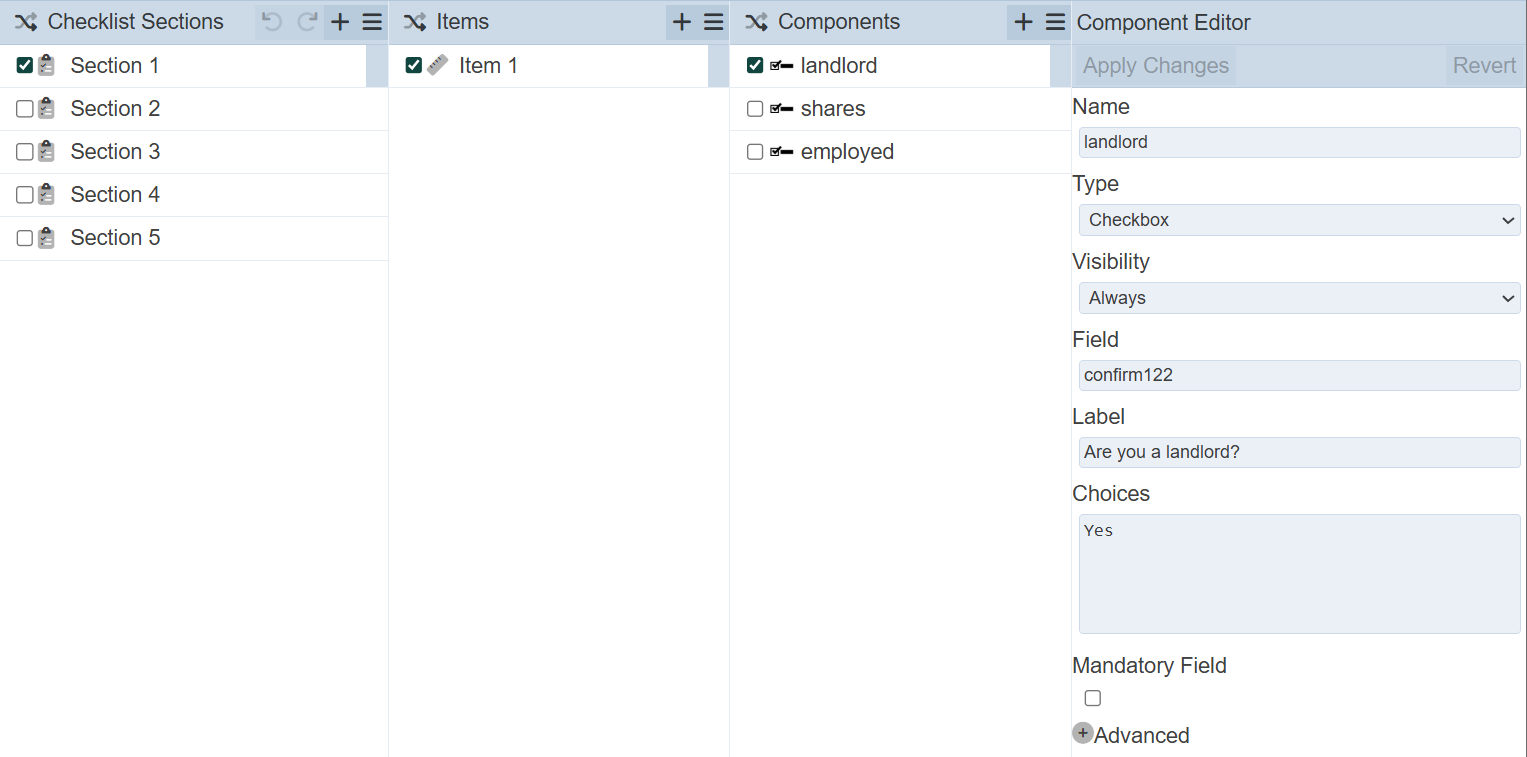
The Checklist Designer can be divided into four panels:
- Checklist Sections
- Items
- Components
- Component Editor
When a checklist is first created without the wizard, the designer page will be empty.
Checklist Sections
The Checklist Section panel lists all sections for the checklist.
See Checklist Sections for more details.
Items
The Items panel displays the items or tasks in the checklist section.
See Items for more details.
Components
The Component displays the list of components belonging to an item.
See Components for more details.
Component Editor
The Component Editor displays the meta data of the components. Most of these fields appears in the wizard.
See Components for more details.