
Deploy Licence
When the Ambience/Repertoire software suite is initially installed, it comes with a default licence. This default licence allows a minimal set of modules and does not have an expiration date. To access to other modules in Ambience software, a new licence needs to be imported into the software. This new licence has an expiration date and need to be replaced before the expiry, or the software will fall back to the minimal set of modules. There are two methods to import the licence, either by using the software interface or by using the command line interface. This method is useful during setup as you can install the licence before starting the server, hence avoiding the need to stop and restart. To import a licence using the software interface:
-
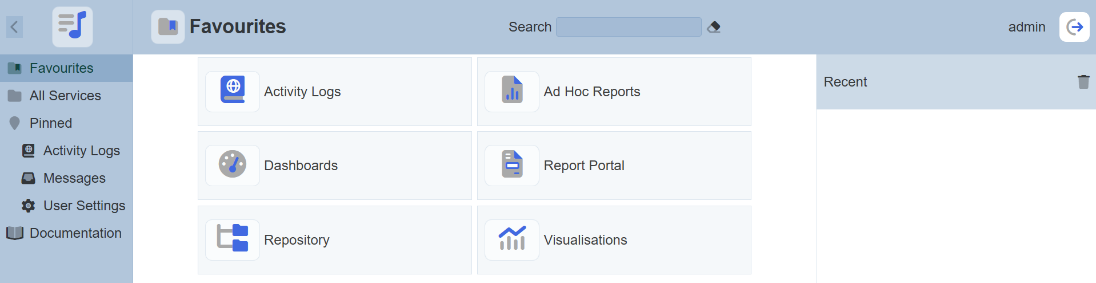
From the “Service Chooser” page, select the “Licence Deployer” in the right panel. If Ambience is initially installed and logged in for the first time, step 2 will appear directly.
-
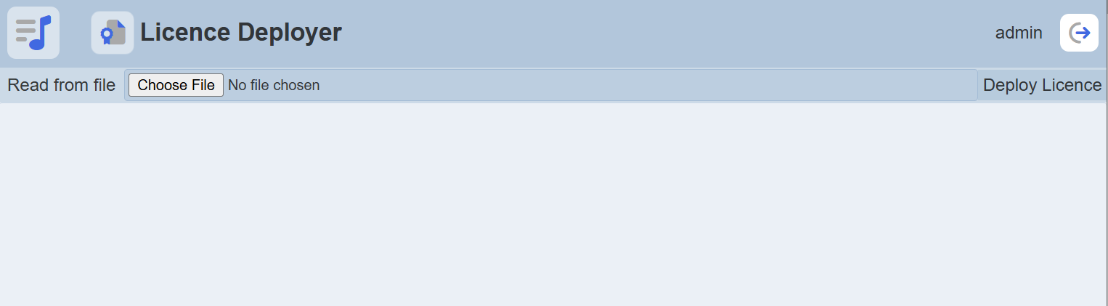
The “Licence Deployer” page will appear.
-
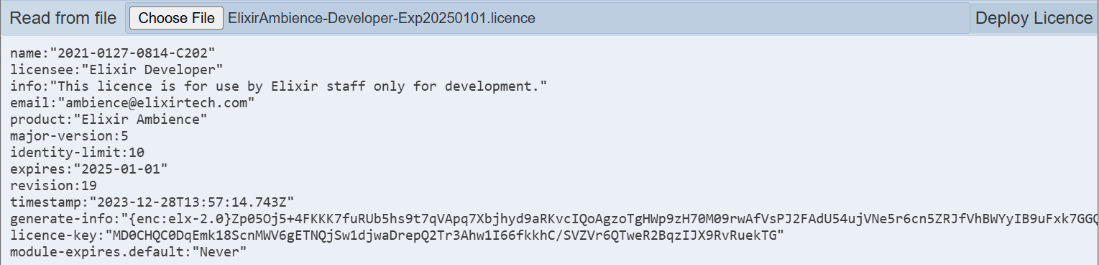
Click on the “Choose File” button and browse to the location of the license file (*ElixirAmbience.licence* for Ambience or ElixirRepertoire.licence for Repertoire). The content of the licence file will appear in the editor.
-
If the content is correct, click on the “Deploy Licence” button at the upper right corner of the page.
-
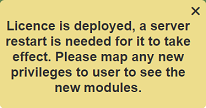
Upon successful upload, a message will appear.
-
After the licence has been deployed to the server. Restart the server for the licence to take effect.
-
Ensure to map any new privileges to the desired users to see the new modules.
To import a licence using the command line interface:
-
Open a terminal window and navigate to the software main folder, then navigate to the “bin” folder.
-
In the command line, key in the following command:
For Ambience:
ambience-cli deploy-licence <path of ElixirAmbience.licence file>For Repertoire:
ambience-cli deploy-licence <path of ElixirRepertoire.licence file> -
The command line window will display messages indicating the successful deployment.

-
Restart the server to allow the new licence to take effect.